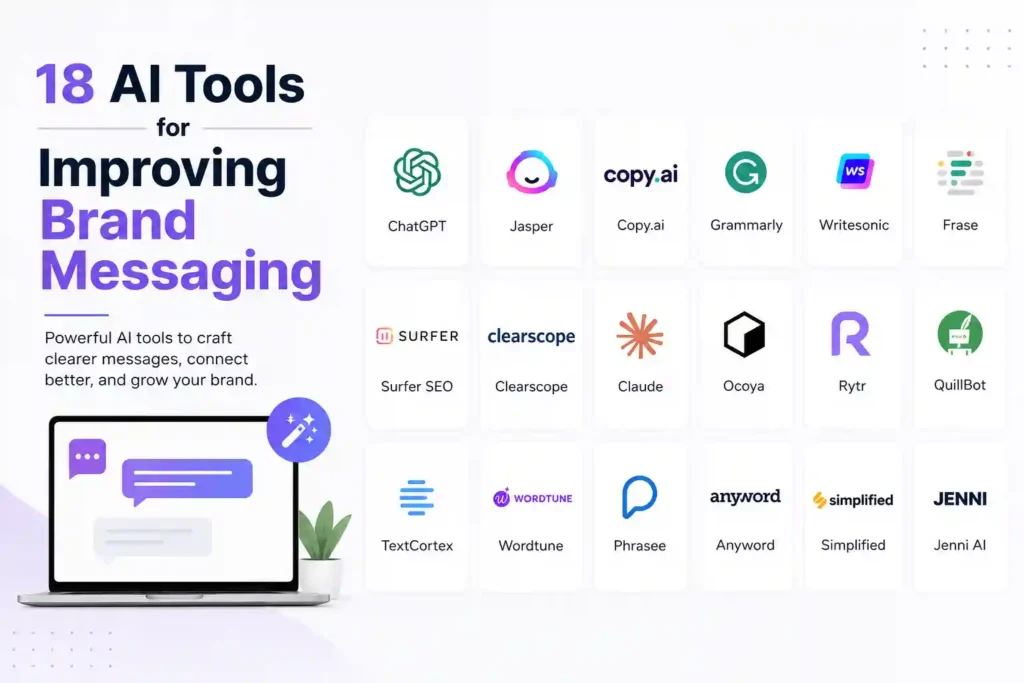
Why Brand Messaging Needs AI Now
In a crowded market, a vague brand voice can cost you customers instantly. The problem isn’t a lack of ideas; it’s the time it takes to turn those ideas into consistent, compelling copy across every touchpoint. By the end of this guide you’ll know exactly which AI tools can streamline your messaging workflow, keep your tone on‑brand, and help you react to trends faster than ever before.
We’ll walk through each tool, show real‑world use cases, and give you step‑by‑step actions you can apply today. No fluff, just proven tactics.
1. Copy.ai – Quick Ideation for Taglines
Copy.ai excels at generating short, punchy taglines in seconds. Start by entering your brand’s core value (e.g., “sustainable fashion”) and a target emotion (“confidence”). The platform will output 10‑15 variations you can test instantly.
How to use it effectively:
- Run a 5‑minute brainstorming session with your team.
- Select the top three that align with your brand guide.
- Plug them into A/B tests on social ads.
Tip: Save the best performers in a shared spreadsheet for future reference.
2. Jasper (formerly Jarvis) – Long‑Form Brand Stories
Jasper’s “Boss Mode” lets you command the AI with natural language. Tell it, “Write a 300‑word brand story for a boutique coffee roaster that emphasizes community and ethical sourcing.” Within minutes you get a polished narrative ready for your website About page.
Action steps:
- Create a brand brief template (mission, tone, audience).
- Feed the template into Jasper each time you need new copy.
- Review for brand consistency and tweak any off‑tone phrases.
3. Phrasee – Optimizing Email Subject Lines
Phrasee uses deep learning to predict open rates based on historic data. Connect it to your ESP, feed a few subject line examples, and let the model generate alternatives that keep your brand’s voice while improving click‑through.
Implementation:
- Export 2‑3 months of subject line performance data.
- Upload to Phrasee and let it train.
- Schedule a weekly batch of 5‑10 AI‑generated subjects, then monitor results.
4. Grammarly Business – Consistency Checker
Beyond grammar, Grammarly Business offers a tone detector that you can calibrate to your brand guidelines. When a copywriter drafts a blog post, Grammarly flags phrases that sound too casual or overly technical.
Practical tip:
- Set up a custom style guide in Grammarly (e.g., “use ‘you’ not ‘one’”).
- Require a Grammarly pass before any external content is published.
5. MarketMuse – Content Gap Analysis
MarketMuse scans your existing site, identifies topics you’re missing, and suggests outlines that match your brand’s expertise level. This ensures every new piece reinforces your core messaging.
Steps to integrate:
- Run a site audit quarterly.
- Prioritize the top 5 gaps that align with upcoming product launches.
- Assign each outline to a writer with Jasper’s assistance for faster drafts.
6. Lumen5 – Turning Brand Copy into Video
Lumen5 converts blog paragraphs into short videos, automatically selecting visuals that match your brand palette. It’s perfect for repurposing a brand story into a 60‑second Instagram Reel.
Actionable workflow:
- Export the final blog copy from Jasper.
- Paste into Lumen5, select your brand colors, and let the AI suggest footage.
- Add a call‑to‑action slide that mirrors your brand tagline.
7. Synthesia – AI‑Generated Brand Spokesperson
Synthesia lets you create video messages with a digital avatar that speaks in your brand’s tone. Use it for onboarding emails, product demos, or crisis communications.
How to keep it authentic:
- Record a short sample of your CEO’s voice to train the avatar.
- Write a concise script (max 150 words) focusing on one key message.
- Review the video for facial expressions that match the emotion you want to convey.
8. Surfer SEO – Aligning Messaging with Search Intent
Surfer compares your copy against top‑ranking pages, highlighting gaps in keyword usage and tone. It helps you keep brand language SEO‑friendly without sounding forced.
Practical use:
- Enter your target keyword and a competitor URL.
- Follow Surfer’s content editor recommendations, adjusting only where it conflicts with brand voice.
9. Writesonic – Ad Copy for Paid Campaigns
Writesonic’s “Ad Generator” produces headlines, descriptions, and calls‑to‑action that stay on brand. Input your USP and the platform will output variations ready for Google, Facebook, or LinkedIn.
Quick tip:
- Generate at least 8 versions per ad set.
- Use Phrasee to test subject lines and Writesonic for ad copy simultaneously.
10. Notion AI – Internal Brand Guidelines Hub
Notion AI can summarize long brand guideline documents into bite‑size checklists. When a new team member joins, they get a concise, AI‑generated cheat sheet instead of a 40‑page PDF.
Setup steps:
- Upload your full brand guide into a Notion page.
- Ask Notion AI: “Summarize the tone of voice rules in 5 bullet points.”
- Pin the summary to your team’s workspace.
11. ChatGPT (OpenAI) – Real‑Time Customer Support Scripts
Using the ChatGPT API, you can generate on‑the‑fly responses that match your brand’s empathy level. For example, a SaaS company can feed the model its support policies and let it draft replies that sound human.
Implementation checklist:
- Define response style (e.g., “friendly but professional”).
- Train the model with a handful of real tickets.
- Set a human‑in‑the‑loop review for the first 100 interactions.
12. Brandwatch – Social Listening with Sentiment Filters
Brandwatch monitors mentions and applies AI‑driven sentiment analysis. You can set alerts for when your brand voice is perceived as “negative” or “off‑brand,” allowing rapid corrective action.
How to act:
- Create a dashboard that highlights sentiment trends daily.
- When a spike occurs, pull the relevant posts and adjust future messaging.
13. Clearscope – Content Scoring for Brand Alignment
Clearscope gives each piece a relevance score based on target keywords and readability. Use the score as a proxy for how well the content reflects your brand’s expertise level.
Steps:
- Run a draft through Clearscope.
- If the score is below 70, revisit the outline and add data points that reinforce your brand authority.
14. BuzzSumo – Discovering Brand‑Friendly Topics
BuzzSumo’s AI suggests topics that have performed well for brands similar to yours. Filter results by “tone” to find content that matches your voice.
Action plan:
- Search for your industry + “how‑to”.
- Note the top‑performing headlines that use your brand’s language style.
- Adapt those formats for your own content calendar.
15. Frase – FAQ Generation Aligned with Brand Voice
Frase crawls your site and builds a list of common questions. It then drafts answers that can be edited to keep the brand tone consistent.
Use case:
- Generate a “Help Center” page for a new product.
- Review each answer for brand‑specific phrasing before publishing.
16. Vidyard – Personalized Video Messaging at Scale
Vidyard integrates with CRM data to create video emails that address the recipient by name and reference their recent activity, all while using your brand’s visual style.
Implementation steps:
- Upload your brand intro clip (logo, colors, tagline).
- Map CRM fields to Vidyard placeholders.
- Send a test batch and monitor response rates.
17. Ink – AI Writing Assistant with Brand Tone Templates
Ink lets you save custom tone templates (e.g., “luxury”, “tech‑savvy”). When you write a product description, Ink automatically adjusts word choice to match.
Practical tip:
- Create a “premium” template for high‑margin items.
- Switch to a “value” template for budget‑friendly SKUs.
18. Contentful + GPT‑4 – Dynamic Brand Messaging on Websites
Combine Contentful’s headless CMS with GPT‑4 to serve personalized copy based on visitor data. For example, first‑time visitors see a welcoming tone, while returning customers get a more technical voice.
Setup guide:
- Define audience segments in Contentful.
- Use GPT‑4 to generate segment‑specific copy blocks.
- Deploy via API; test for consistency across devices.
Real Questions People Ask About AI Brand Messaging
How can AI keep my brand voice consistent across channels?
Use a combination of tone‑checking tools (Grammarly Business, Ink) and centralized guideline hubs (Notion AI). Feed the same brand brief into each content‑creation tool so the AI learns the same vocabulary and style.
Is it safe to let AI write legal or compliance copy?
Never rely solely on AI for compliance. Draft with AI, then have a qualified professional review. This speeds up the process while protecting you from regulatory risk.
Do I need a data scientist to implement these tools?
Most platforms are built for marketers. Only advanced integrations like Contentful + GPT‑4 may need basic technical knowledge, which can be handled by a junior developer or an agency.
How quickly can I see ROI from AI‑enhanced messaging?
Brands typically notice a lift in engagement metrics (open rates, click‑through) within 2‑4 weeks of running A/B tests with AI‑generated copy. Track a single KPI per tool to isolate impact.
Can AI replace my copywriters?
No. AI accelerates drafting and idea generation, but human editors ensure nuance, cultural relevance, and brand integrity.
Putting It All Together: A 30‑Day Action Plan
Week 1 – Audit & Baseline
- Run a Brandwatch sentiment scan.
- Export recent email subject lines to Phrasee.
- Document your brand voice in Notion AI.
Week 2 – Tool Trials
- Test Copy.ai for taglines and Jasper for a brand story.
- Run a small ad set with Writesonic headlines.
Week 3 – Integration
- Connect Grammarly Business to your writing workflow.
- Set up Lumen5 to auto‑convert the new brand story into video.
Week 4 – Measurement & Scale
- Analyze open‑rate lift from Phrasee.
- Adjust tone templates in Ink based on performance.
- Document wins in a shared dashboard for future reference.
Follow this roadmap and you’ll have a fully AI‑augmented brand messaging engine that delivers consistent, high‑impact copy without sacrificing authenticity.
Remember, AI is a tool—not a replacement for strategic thinking. Use it to free up creative bandwidth, test ideas faster, and keep your messaging razor‑sharp as markets evolve.
Disclaimer: Some tools may require paid subscriptions; availability and signup requirements may vary.