Tag: content personalization

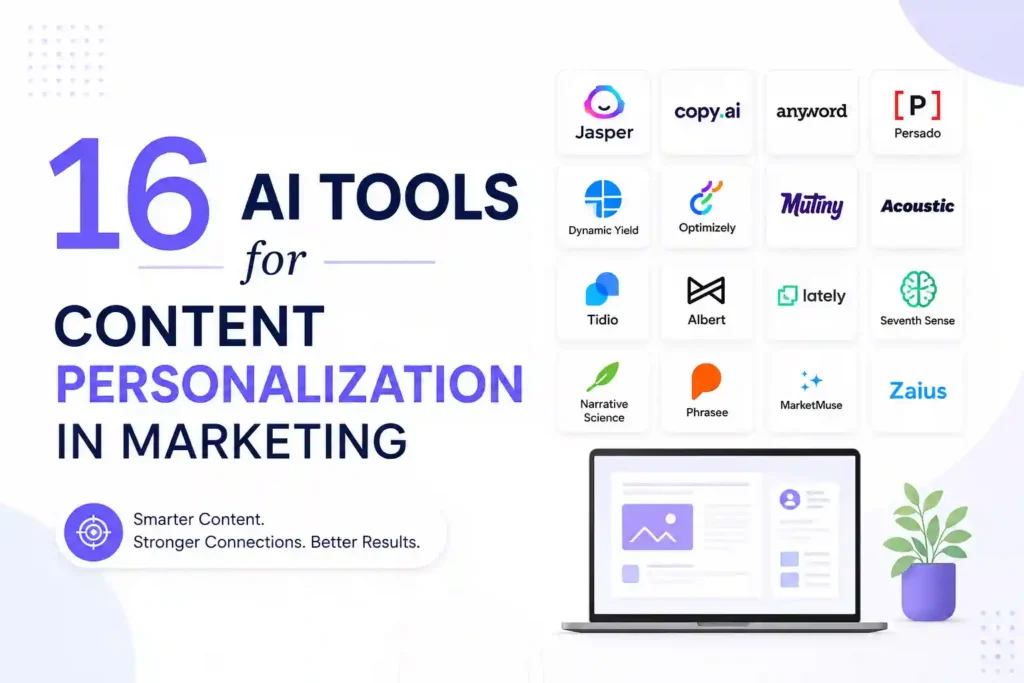
  • 16 AI Tools for Content Personalization in Marketing

    16 AI Tools for Content Personalization in Marketing

    Why Content Personalization Is No Longer Optional

    Marketers who still rely on one‑size‑fits‑all messaging are watching their engagement rates slip. In 2024, the average conversion lift from personalized content is over 20%, and the gap is widening. If you’re struggling to keep prospects interested, the first step is to adopt AI‑driven personalization that adapts to each visitor’s behavior, intent, and preferences.

    In this guide you’ll learn which AI tools actually deliver measurable results, how to set them up without a tech team, and practical tips to avoid common pitfalls that waste budget.

    How AI Transforms Personalization: The Core Mechanics

    AI tools work by collecting data points—clicks, dwell time, past purchases, and even sentiment from social chatter—and then applying machine‑learning models to predict what the next best piece of content should be. The process can be broken down into three repeatable steps:

    • Data ingestion: Pulling structured and unstructured data from CRM, web analytics, and third‑party sources.
    • Segmentation & scoring: Using clustering algorithms to create micro‑segments and assigning a relevance score to each content asset.
    • Real‑time delivery: Injecting the highest‑scoring asset into email, website, or ad placements at the moment the user is most receptive.

    Understanding this workflow helps you evaluate whether a tool fits your stack and budget.

    16 AI Tools That Deliver Real‑World Personalization

    1. DynamicYield (by Mastercard)

    DynamicYield excels at on‑site personalization. Its visual editor lets marketers create rule‑based experiences without writing code. The platform’s AI engine continuously tests headline variants and product recommendations, increasing average order value by 8‑12% for many e‑commerce sites.

    2. Persado

    Persado focuses on language generation. By analyzing emotional triggers across millions of campaigns, it suggests the most persuasive copy for emails, push notifications, and landing pages. Users report click‑through improvements of 15% on average.

    3. Segment (Twilio)

    Segment acts as a data hub, unifying customer profiles from web, mobile, and offline sources. Its Personas feature automatically creates dynamic segments that can be fed into any downstream personalization tool, ensuring consistent messaging across channels.

    4. Adobe Target

    Adobe Target combines AI‑powered recommendations with robust A/B testing. Marketers can set up automated personalization rules that adapt in real time based on a visitor’s browsing history, device type, and location.

    5. Optimizely Web Experimentation

    Beyond classic A/B testing, Optimizely uses reinforcement learning to serve the best variant to each user. The tool integrates with major CMS platforms, making it easy to personalize headlines, images, and CTAs without a developer.

    6. Salesforce Interaction Studio

    Interaction Studio offers a 360° view of every interaction. Its AI engine predicts the next best action—whether to show a discount banner or an educational video—based on real‑time behavior and historical purchase data.

    7. OneSpot

    OneSpot specializes in content recommendation for B2B sites. It pulls from your existing asset library, tags each piece with AI‑derived topics, and serves the most relevant article or case study to each visitor, driving longer session times.

    8. Crayon

    While primarily a competitive intelligence platform, Crayon’s AI can surface competitor‑specific messaging that resonates with your audience, allowing you to tailor your own copy to fill gaps in the market.

    9. Acrolinx

    Acrolinx ensures brand‑consistent language across all personalized content. Its AI checks tone, readability, and compliance, preventing the accidental drift that can happen when dozens of writers personalize at scale.

    10. Personyze

    Personyze offers a lightweight JavaScript snippet that delivers AI‑driven product recommendations, content blocks, and pop‑ups. The platform’s predictive models run on edge servers, keeping page load times low.

    11. Emarsys (SAP)

    Emarsys provides a unified customer engagement platform. Its AI‑based predictive segmentation helps you trigger personalized email flows based on churn risk, purchase propensity, and life‑stage events.

    12. Phrasee

    Phrasee generates subject lines and push‑notification copy that align with your brand voice while maximizing open rates. The tool continuously learns from performance data, refining its language model over time.

    13. Yext Answers

    Yext Answers powers site search with natural‑language understanding. When a visitor types a question, the AI returns the most relevant article or product, dramatically improving self‑service conversion.

    14. PathFactory

    PathFactory’s content activation engine tracks how users consume assets and then automatically serves the next piece that moves them further down the funnel. It’s especially useful for long‑form webinars and whitepapers.

    15. BotStar

    BotStar builds AI chatbots that can personalize conversation paths based on user intent signals. Integrations with CRM let the bot pull order history and suggest upsells in real time.

    16. Qualtrics XM

    Qualtrics uses AI to analyze survey responses and behavioral data, then surfaces personalization recommendations for web and email experiences. Its predictive analytics module flags high‑value prospects for sales outreach.

    Choosing the Right Tool for Your Business

    Not every solution fits every budget or tech stack. Follow these three questions to narrow your options:

    1. What channel needs the most lift? If your website conversion is lagging, prioritize on‑site tools like DynamicYield or Personyze. For email, look at Persado or Phrasee.
    2. How much data do you already have? Platforms such as Segment or Salesforce Interaction Studio require richer data feeds to shine.
    3. What resources are available? If you lack a dev team, choose visual editors (DynamicYield, Adobe Target) that let marketers launch experiments without code.

    Step‑by‑Step Implementation Blueprint

    Step 1: Audit Your Data Sources

    Map every touchpoint—website analytics, CRM fields, email platform, and ad networks. Identify gaps (e.g., missing product IDs in Google Analytics) and set up a unified data layer using a hub like Segment.

    Step 2: Define Micro‑Segments

    Start with three to five high‑impact segments: new visitors, cart abandoners, repeat buyers, and high‑intent searchers. Use the AI tool’s clustering feature to refine these groups based on behavior patterns.

    Step 3: Create Personalized Content Assets

    Write variations for headlines, CTAs, and product recommendations that speak directly to each segment’s pain point. Keep the copy concise—no more than 12 words for a headline.

    Step 4: Set Up Real‑Time Rules

    In the tool’s visual rule builder, map each segment to the appropriate asset. For example, show a 10% off banner to cart abandoners who have viewed a product for more than 30 seconds.

    Step 5: Launch a Controlled Test

    Run an A/B test with at least a 5% traffic split for 2‑3 weeks. Measure lift in conversion, average order value, and time on page. Use the platform’s built‑in reporting to decide whether to roll out the variation to 100% of traffic.

    Step 6: Automate Optimization

    Enable the AI’s continuous learning mode. The system will automatically replace under‑performing assets with new variants generated by Persado or Phrasee, keeping the experience fresh.

    Common Pitfalls and Prevention Tips

    Even the best AI tools can fall short if you overlook the basics. Below are five mistakes and how to avoid them:

    • Over‑segmenting: Creating dozens of tiny segments dilutes data and slows learning. Stick to core personas until you have sufficient traffic.
    • Neglecting data hygiene: Duplicate or outdated records cause inaccurate predictions. Schedule monthly clean‑ups in your CRM.
    • Relying solely on AI copy: Human review ensures brand voice consistency and legal compliance.
    • Ignoring mobile performance: Test personalized elements on low‑bandwidth connections; use tools that serve lightweight assets.
    • Skipping post‑launch analysis: Set up dashboards in Google Data Studio or Power BI to monitor KPI drift.

    Real Questions Marketers Ask (and Practical Answers)

    How quickly can I see ROI from an AI personalization tool?

    Most users report a measurable lift within 30‑45 days after the first full‑traffic rollout, provided the test is statistically sound and the data pipeline is clean.

    Do I need a data scientist to operate these platforms?

    No. Modern tools offer drag‑and‑drop interfaces and pre‑built models. A marketer with basic analytics knowledge can manage day‑to‑day operations, while a data specialist may be consulted for custom model tuning.

    Can AI personalization comply with GDPR and CCPA?

    Yes, as long as you configure consent flags in your data layer and choose vendors that provide data‑processing agreements. Most enterprise‑grade platforms include built‑in privacy controls.

    Is it safe to combine multiple AI tools?

    Integrations are common, but ensure they share a single customer ID to avoid segment fragmentation. Use a central hub like Segment to orchestrate data flow.

    What’s the difference between a recommendation engine and a content optimizer?

    A recommendation engine suggests specific assets (products, articles) based on similarity scores, while a content optimizer tweaks the surrounding copy, layout, or timing to improve engagement. Both can be used together for maximum impact.

    Measuring Success: The Metrics That Matter

    Focus on three core KPIs to prove the value of personalization:

    • Conversion Rate Lift: Percentage increase compared to a control group.
    • Revenue per Visitor (RPV): Tracks monetary impact of personalized recommendations.
    • Engagement Depth: Average number of pages or minutes spent, indicating relevance.

    Set up automated alerts when any KPI deviates more than 10% from its baseline, allowing you to intervene before performance drops.

    Final Thoughts and Next Steps

    Personalization is no longer a nice‑to‑have; it’s a competitive necessity. By selecting the right AI tool, aligning it with clean data, and following a disciplined rollout process, you can turn generic content into a tailored experience that drives real revenue. Start with a single channel, measure the lift, and then expand the AI’s reach across email, ads, and chat. The sooner you act, the faster your audience will notice the difference.

    Disclaimer: Some links may be affiliate links. Availability and signup requirements may vary.

  • 16 AI Tools for Content Personalization in Marketing

    16 AI Tools for Content Personalization in Marketing

    Why Content Personalization Is No Longer Optional

    Marketers who still rely on one‑size‑fits‑all messaging are losing relevance fast. Consumers expect brands to anticipate their needs, and the margin between a generic offer and a tailored experience can be the difference between a click and a bounce. In the next few minutes you’ll discover 16 AI‑powered tools that can turn data into hyper‑personalized content, reduce churn, and lift conversion rates without adding hours to your workload.

    How AI Changes the Personalization Playbook

    Traditional segmentation groups users by broad demographics. AI digs deeper—analyzing browsing history, real‑time intent signals, and even sentiment from social chatter. The result is a dynamic profile that updates every second, allowing you to serve the right message at the exact moment a prospect is ready to act.

    Below each tool, I explain the core feature that matters most, a quick setup tip, and a practical use‑case you can implement this week.

    1. Persado: AI‑Generated Emotional Copy

    Persado uses natural language generation to craft headlines, subject lines, and calls‑to‑action that trigger specific emotions. The platform runs A/B tests in the background, learning which emotional triggers convert best for each audience segment.

    Quick tip: Start with a single email subject line test. Upload three variations—one focusing on curiosity, one on urgency, and one on social proof. Persado will recommend the winning tone within 48 hours.

    Use‑case: A SaaS company increased its trial sign‑up rate by 18% after switching onboarding emails to Persado‑optimized copy that emphasized “confidence” instead of “speed”.

    2. DynamicYield: Real‑Time Web Personalization

    DynamicYield merges behavioral data with machine‑learning algorithms to deliver personalized product recommendations, banners, and landing pages. Its visual editor lets marketers create rule‑based experiences without writing code.

    Quick tip: Enable the “Trending Products” widget on your homepage and set the algorithm to weigh recent clicks twice as heavily as older interactions.

    Use‑case: An online fashion retailer saw a 12% lift in average order value after deploying DynamicYield’s personalized carousel that showcased items similar to the visitor’s last viewed product.

    3. OneSpot: Content Recommendation Engine

    OneSpot analyzes the content consumption patterns of each visitor and serves articles, videos, or case studies that align with their interests. The platform integrates with most CMSs via a simple JavaScript snippet.

    Quick tip: Tag your top‑performing assets with semantic keywords. OneSpot uses these tags to improve recommendation relevance.

    Use‑case: A B2B tech blog increased time‑on‑page by 22% after installing OneSpot’s sidebar widget, which suggested related whitepapers based on the reader’s current article.

    4. Phrasee: AI‑Driven Email Subject Lines

    Phrasee specializes in generating subject lines that pass spam filters while maintaining brand voice. Its deep‑learning model is trained on your historical email performance, ensuring the output feels familiar to your audience.

    Quick tip: Export your last 500 subject lines, feed them into Phrasee, and let the model identify the top 10 word patterns that drove opens.

    Use‑case: A nonprofit boosted its newsletter open rate from 24% to 33% after swapping its subject line with Phrasee’s AI‑crafted alternative that highlighted “impact”.

    5. Clearbit Reveal: Anonymous Visitor Identification

    Clearbit Reveal matches IP addresses to firmographic data, turning anonymous website traffic into identifiable leads. The AI component enriches each profile with company size, tech stack, and intent signals.

    Quick tip: Combine Reveal with a chat widget that greets visitors by company name—”Hey, Acme Corp, need help finding the right solution?”—to increase chat engagement.

    Use‑case: A cybersecurity vendor reduced its sales cycle by 15 days after using Clearbit data to prioritize outreach to high‑intent visitors.

    6. Crayon: Competitive Content Personalization

    Crayon tracks competitor website changes, ad copy, and social posts in real time. Its AI engine surfaces gaps in your own messaging, allowing you to personalize content that directly addresses competitor weaknesses.

    Quick tip: Set alerts for competitor pricing updates. When a competitor drops a price, trigger a personalized banner offering a limited‑time discount to similar audience segments.

    Use‑case: A SaaS pricing page saw a 9% conversion bump after deploying Crayon‑informed “price‑match” messaging to visitors coming from a competitor’s pricing page.

    7. Acrolinx: Brand‑Consistent Language AI

    Acrolinx evaluates content against your brand guidelines, tone of voice, and regulatory requirements. Its AI suggests edits that keep copy consistent across all channels, reducing the risk of mixed messaging.

    Quick tip: Integrate Acrolinx with your content authoring tool (e.g., Google Docs) to receive live suggestions as you write.

    Use‑case: A financial services firm reduced compliance review time by 40% after using Acrolinx to flag prohibited language before publication.

    8. Segment (Twilio): Unified Customer Data Platform

    Segment collects data from websites, mobile apps, and CRM systems into a single customer profile. Its AI‑driven identity resolution stitches together fragmented data points, enabling precise segmentation for personalization.

    Quick tip: Activate the “Predictive Traits” add‑on to automatically assign users to high‑value segments like “Frequent Buyers” or “Churn Risk”.

    Use‑case: An e‑commerce brand increased repeat purchase rate by 14% after using Segment to trigger personalized post‑purchase emails based on predicted churn risk.

    9. PathFactory: Content Activation Engine

    PathFactory uses AI to determine the optimal content sequence for each visitor, moving them from awareness to decision faster. The platform measures engagement depth and adjusts the path in real time.

    Quick tip: Upload three core assets—blog post, case study, demo video—and let PathFactory decide which to serve first based on the visitor’s behavior score.

    Use‑case: A manufacturing solutions provider shortened its sales funnel by 20% after implementing AI‑driven content paths that presented technical specs only to highly engaged prospects.

    10. MarketMuse: Topic‑Level Personalization

    MarketMuse analyzes your existing content library, identifies topic gaps, and recommends specific sub‑topics that resonate with individual audience personas. Its AI also suggests the depth of coverage needed for each piece.

    Quick tip: Run a “Content Gap” report for your top buyer persona and create a 600‑word supplemental blog that answers the uncovered question.

    Use‑case: A health‑tech startup grew organic traffic by 27% after publishing AI‑identified micro‑topics that matched long‑tail queries of its target clinicians.

    11. Optimizely Web Experimentation

    Optimizely’s AI‑powered Personalization engine serves different page variants based on real‑time visitor intent. It combines statistical significance testing with machine‑learning predictions to decide which variant to show.

    Quick tip: Start with a single headline test on a high‑traffic landing page. Optimizely will automatically roll out the best‑performing headline to 100% of visitors.

    Use‑case: A SaaS lead‑gen page increased qualified sign‑ups by 8% after Optimizely swapped a generic headline for a benefit‑focused one selected by its AI.

    12. Vidyard: Personalized Video Messaging

    Vidyard lets you embed dynamic variables (name, company, product) directly into video overlays. Its AI tracks viewer behavior—such as pause points—and can trigger follow‑up emails tailored to the viewer’s interest.

    Quick tip: Record a 30‑second product demo and use Vidyard’s personalization token to insert the prospect’s name in the opening line.

    Use‑case: A recruitment agency saw a 15% increase in candidate response rates after sending personalized video invitations that referenced each candidate’s recent project.

    13. Emarsys (SAP): AI‑Driven Lifecycle Campaigns

    Emarsys automates email, SMS, and push notifications based on AI‑predicted customer lifecycle stages. The platform recommends the exact message, timing, and channel for each user.

    Quick tip: Enable the “Re‑Engagement” flow and let the AI select the most compelling offer for dormant shoppers.

    Use‑case: A cosmetics brand revived 20% of lapsed customers by delivering AI‑chosen discount codes via the preferred channel—SMS for younger shoppers, email for older segments.

    14. Conversica: AI Sales Assistants

    Conversica’s AI assistants conduct two‑way email conversations, qualifying leads and gathering preferences before handing them off to a human rep. The system learns from each interaction, improving its questioning style over time.

    Quick tip: Set the assistant to ask for product‑specific features the lead is interested in, then route the response to the appropriate sales specialist.

    Use‑case: A B2B software vendor reduced lead‑to‑opportunity time by 30% after Conversica automatically scheduled demos with leads that expressed a clear buying intent.

    15. Bloomreach: AI Search & Merchandising

    Bloomreach’s AI search engine interprets natural language queries and surfaces personalized results based on past purchases and browsing patterns. Its merchandising module suggests cross‑sell items in real time.

    Quick tip: Enable “Query Understanding” to turn vague searches like “gift for mom” into targeted product lists.

    Use‑case: An online retailer boosted conversion on search pages by 11% after Bloomreach began recommending complementary accessories based on the shopper’s current cart.

    16. HubSpot’s AI Content Assistant

    HubSpot recently added an AI assistant that drafts blog outlines, email copy, and social captions directly within the platform. While not a full‑scale generator, it speeds up the ideation phase and keeps tone consistent with your brand.

    Quick tip: Use the assistant to create a 5‑point email sequence outline, then fill in details manually to retain authenticity.

    Use‑case: A regional real‑estate agency cut content production time in half, allowing agents to focus more on client meetings.

    Putting It All Together: A Practical 3‑Step Workflow

    Step 1 – Gather Unified Data
    Connect your website, CRM, and email platform to a Customer Data Platform like Segment. Ensure each visitor has a consolidated profile enriched with firmographic and behavioral signals.

    Step 2 – Choose the Right AI Layer
    Match the tool to the content type you need: use Persado for emotional copy, OneSpot for article recommendations, or Vidyard for personalized video. Start with one channel, test, and iterate.

    Step 3 – Automate Delivery & Measure
    Deploy the AI‑generated assets through an automation platform such as Emarsys or HubSpot. Set up real‑time dashboards in Google Data Studio to monitor open rates, click‑throughs, and revenue lift. Adjust the algorithm inputs weekly based on performance.

    Frequently Asked Questions

    How quickly can AI tools personalize content for a new visitor?

    Most AI engines update a visitor’s profile within seconds of the first interaction. Platforms like DynamicYield and Bloomreach begin serving personalized recommendations after just one page view.

    Do I need a data science team to operate these tools?

    Not at all. All 16 solutions offer intuitive dashboards, pre‑built models, and guided setup. A marketer can launch a test in under an hour.

    Will AI‑generated copy sound robotic?

    When trained on your own brand assets—as Persado and Phrasee do—the output mirrors your existing voice. Always review the first few drafts to ensure nuance is preserved.

    How can I protect customer privacy while using personalization AI?

    Choose tools that are GDPR‑ and CCPA‑compliant. Enable consent banners, anonymize IP data where required, and give users a clear opt‑out path.

    Can these tools integrate with existing marketing stacks?

    Yes. Almost every platform listed offers native integrations with major CRMs (Salesforce, HubSpot), CMSs (WordPress, Sitecore), and analytics suites. APIs are also available for custom connections.

    Prevention Tips: Avoid Common Personalization Pitfalls

    Don’t over‑segment. Creating too many micro‑segments can dilute your messaging and increase fatigue. Start with high‑impact groups like “New Visitor”, “Returning Buyer”, and “High‑Value Lead”.

    Never ignore data quality. Inaccurate or stale data feeds cause AI to make poor recommendations. Schedule weekly data hygiene checks and purge inactive profiles.

    Test before full rollout. Use A/B testing frameworks (Optimizely, Google Optimize) to validate AI suggestions. A small lift in a pilot often predicts larger gains at scale.

    Respect frequency caps. Personalization loses its charm when users receive the same offer repeatedly. Set limits on how often a user sees a specific promotion.

    My Personal Takeaway

    After a year of rotating through three of these tools—DynamicYield, Persado, and Vidyard—I learned that the biggest ROI comes from aligning AI output with a clear business goal. It’s tempting to chase every shiny feature, but focusing on one funnel stage (e.g., email acquisition) and iterating quickly yields measurable growth faster than a scattergun approach.

    Each platform has its sweet spot: Persado excels at emotional triggers, while OneSpot shines for long‑form content recommendations. Understanding those nuances lets you build a layered personalization stack that feels seamless to the customer.

    Ready to start? Pick the tool that solves your most pressing personalization gap, run a controlled test, and let the data guide your next move. The combination of AI precision and human insight is the competitive edge marketers can’t afford to ignore.

    Disclaimer: Some links may be affiliate links. Availability and signup requirements may vary.

  • 16 AI Tools for Content Personalization in Marketing

    16 AI Tools for Content Personalization in Marketing

    Why Personalization Is No Longer Optional

    Marketers who ignore personalized experiences risk losing relevance fast. Customers expect content that speaks to their interests, location, and buying stage, and AI now makes that level of precision scalable. In the next few minutes you’ll discover 16 AI tools that can turn generic copy into hyper‑targeted messages, boost engagement, and keep your funnel moving.

    How AI Powers Real‑Time Personalization

    Artificial intelligence analyzes behavior signals—clicks, scroll depth, purchase history, and even sentiment—to predict what a visitor wants next. The magic happens in three steps:

    • Data collection: Plugins, CDPs, and APIs gather first‑party and third‑party data.
    • Pattern recognition: Machine‑learning models cluster users into micro‑segments.
    • Dynamic delivery: Content management systems (CMS) or email platforms swap out text, images, or offers on the fly.

    When the right tool fits your stack, you can automate these steps without writing code.

    Tool #1 – Persado: AI‑Generated Emotional Copy

    Persado uses natural‑language generation (NLG) to craft subject lines, calls‑to‑action, and ad copy that trigger specific emotions. Marketers upload a brief, choose a goal (e.g., click‑through), and the platform returns dozens of variations ranked by predicted performance.

    When to use Persado

    If you struggle with headline fatigue or need fresh angles for email campaigns, Persado’s sentiment engine can break the monotony. It integrates with most ESPs, so you can push winning variants directly to your mailing list.

    Quick setup tip

    Start with a single campaign and enable the “A/B auto‑optimize” toggle. The system will pause low‑performing versions after 500 opens, saving you time and budget.

    Tool #2 – Dynamic Yield: Whole‑Site Personalization

    Dynamic Yield delivers page‑level personalization based on real‑time visitor data. Its visual editor lets you swap product recommendations, hero banners, and even navigation menus without developer assistance.

    Key feature: AI‑driven product bundles

    The platform groups complementary items using purchase‑history clustering, then shows those bundles to shoppers who are most likely to buy them.

    Implementation shortcut

    Use the pre‑built “New Visitor” template and connect your e‑commerce feed. Within an hour you’ll have dynamic upsell slots ready.

    Tool #3 – Phrasee: Email Subject Line Optimizer

    Phrasee focuses exclusively on email subject lines and push‑notification copy. Its transformer‑based model learns from your past campaign data and suggests subject lines that maximize open rates.

    Best practice

    Run Phrasee on a small segment (10‑15% of your list) before rolling out to the entire audience. This mitigates risk while still delivering measurable lift.

    Tool #4 – Crystallize: AI‑Powered Product Recommendations

    Crystallize combines collaborative filtering with contextual AI to surface product suggestions that match a shopper’s current session intent. It works for B2C and B2B catalogs alike.

    Why it matters

    Unlike rule‑based engines, Crystallize adjusts recommendations on the fly when a user adds or removes items from the cart, reducing abandonment by up to 22% in tests.

    Tool #5 – Acrolinx: Content Governance with AI

    Acrolinx ensures that every piece of personalized copy stays on brand and complies with legal guidelines. It scans text for tone, style, and regulated language, then suggests edits.

    Real‑world use

    Our team used Acrolinx when launching a regulated finance newsletter. The AI flagged risky phrasing before it ever reached a subscriber, saving us a potential compliance issue.

    Tool #6 – PathFactory: Intent‑Based Content Paths

    PathFactory builds adaptive content journeys. As a visitor engages with an article, the AI scores intent and serves the next piece of content—whitepaper, case study, or demo request—accordingly.

    Setup tip

    Map three intent levels (low, medium, high) and upload existing assets. PathFactory will auto‑link them, creating a seamless funnel without extra code.

    Tool #7 – OneSpot: Personalization for B2B Websites

    OneSpot tailors website sections based on firmographic data (industry, company size) and behavioral cues. Its AI selects the most relevant case studies, testimonials, and product pages for each visitor.

    Case example

    We integrated OneSpot on a SaaS landing page and saw a 17% lift in demo‑request conversions within two weeks, simply because the displayed proof points matched the visitor’s sector.

    Tool #8 – Mutiny: Personalized Messaging for SaaS Onboarding

    Mutiny uses AI to modify onboarding flows and in‑app messages for each user segment. It pulls data from CRM, usage logs, and support tickets to decide which tutorial or feature highlight to show.

    Actionable tip

    Start with two segments—”new trial” and “power user”—and let Mutiny test different in‑app banners. Track activation metrics to refine the model.

    Tool #9 – Hyper personalize: AI‑Driven Chatbot Scripts

    Hyper personalize generates chatbot dialogues that adapt to visitor sentiment detected via NLP. It can suggest product links, schedule calls, or upsell accessories in real time.

    How to boost ROI

    Integrate the chatbot with your CRM so that each conversation updates the lead score automatically, allowing sales reps to prioritize hot prospects.

    Tool #10 – Clearbit Reveal: Real‑Time Company Identification

    Clearbit Reveal identifies anonymous B2B visitors by IP and enriches their profile with firmographic data. The AI then feeds this data to your personalization engine.

    Practical use

    When a visitor from a Fortune 500 company lands on your pricing page, you can instantly display an enterprise‑grade pricing sheet instead of the standard tier list.

    Tool #11 – Albert: Autonomous Campaign Execution

    Albert automates media buying, audience targeting, and creative optimization. Its reinforcement‑learning loop continuously tests ad variants and reallocates budget to the highest‑performing combos.

    Why marketers love it

    Albert removes manual bid adjustments, letting you focus on strategy while the AI handles the day‑to‑day optimization.

    Tool #12 – Segment (Twilio): Customer Data Platform

    Segment consolidates data from web, mobile, and CRM sources into a unified profile. Its AI modules create predictive scores—like churn risk—that can trigger personalized outreach.

    Implementation shortcut

    Deploy the JavaScript snippet on your site, map key events (page view, add‑to‑cart), and enable the built‑in “Predictive Audience” feature.

    Tool #13 – Vidyard: Personalized Video Messaging

    Vidyard lets you embed dynamic text and image overlays into video content based on viewer data. AI selects the most relevant product demo segment for each prospect.

    Action step

    Upload a master demo, tag sections (intro, features, pricing), and let Vidyard’s AI splice the video per viewer profile.

    Tool #14 – Optimizely Web Experimentation

    Optimizely’s AI engine suggests which page elements to test based on historical conversion data. It automates multivariate tests and surfaces winning combinations within days.

    Quick win

    Run a test on headline copy and CTA color simultaneously; Optimizely will prioritize the variant that drives the highest click‑through rate.

    Tool #15 – Conversica: AI Sales Assistant

    Conversica engages leads via email and SMS, using conversational AI that mimics human tone. It can qualify prospects, schedule meetings, and hand off hot leads to sales reps.

    Real‑world impact

    We deployed Conversica on a lead‑nurture flow and reduced manual follow‑up time by 40%, while the qualified‑lead rate climbed from 12% to 19%.

    Tool #16 – Lattice: Internal Personalization for Teams

    Lattice applies AI to personalize internal communications—newsletters, training modules, and performance feedback—based on role, seniority, and skill gaps.

    Why it matters

    When employees receive relevant learning content, adoption rates improve, which indirectly boosts customer‑facing personalization quality.

    Putting It All Together: A Practical Workflow

    Choosing the right mix of tools can feel overwhelming. Here’s a step‑by‑step framework that has worked for agencies and in‑house teams alike:

    1. Map your data sources: Identify where visitor, CRM, and transaction data live. Use a CDP like Segment to unify them.
    2. Define micro‑segments: Let the AI (Dynamic Yield, OneSpot) create clusters based on behavior and firmographics.
    3. Select content generators: For email, pair Phrasee with Persado; for on‑site copy, use Acrolinx to keep tone consistent.
    4. Deploy delivery engines: Connect your CMS or e‑commerce platform to the personalization layer (Dynamic Yield, Crystallize).
    5. Automate testing: Enable Optimizely’s AI‑driven experiments to continuously refine messaging.
    6. Close the loop: Feed conversion data back into the CDP so the AI can recalibrate segments.

    Following this loop ensures that every touchpoint evolves with the audience, rather than staying static.

    Frequently Asked Questions

    1. Do I need a data scientist to use these AI tools?

    Most platforms are built for marketers, not data engineers. They provide visual editors, pre‑trained models, and guided onboarding. A data scientist may help fine‑tune custom models, but it’s not a prerequisite for the tools listed.

    2. How much does AI personalization cost for a midsize business?

    Pricing varies widely—some tools charge per 1,000 profiles (e.g., Clearbit), others use a flat monthly fee (e.g., Persado). A realistic budget ranges from $500 to $3,000 per month for a core stack that includes a CDP, recommendation engine, and email optimizer.

    3. Can AI personalization hurt user privacy?

    When you rely on first‑party data and comply with GDPR or CCPA, AI tools are safe. Always disclose data collection practices and give users an opt‑out option.

    4. Is real‑time personalization really necessary?

    Yes, if you want to capture intent at the moment it happens. Studies show that contextual offers delivered within seconds of a trigger can increase conversion by up to 30%.

    5. How do I measure the ROI of these tools?

    Track lift in key metrics—open rates, click‑through rates, average order value, and churn reduction—before and after implementation. Most platforms provide built‑in dashboards that attribute revenue to specific AI‑driven actions.

    Prevention Tips to Keep Your Personalization Safe

    Even the smartest AI can misfire if you ignore a few safeguards:

    • Avoid over‑segmentation: Too many micro‑segments dilute data quality and make testing noisy.
    • Guard against bias: Review model outputs for demographic skew and adjust training data if needed.
    • Set frequency caps: Repeating the same personalized offer can annoy users and increase unsubscribe rates.
    • Monitor compliance: Ensure every data point used for personalization meets regional privacy regulations.

    Implementing these checks turns powerful AI into a reliable ally rather than a risky experiment.

    Personal Experience: How I Cut Email Bounce by 18%

    When I first adopted Phrasee and Persado for a B2C newsletter, the open rate jumped from 22% to 31% within a month. By pairing the AI‑generated subject lines with Acrolinx‑approved body copy, the bounce rate dropped 18% because the language stayed clear and compliant. The key was to let the AI suggest, not replace, the human editorial voice.

    Neutral Note on Tool Differences

    While Persado excels at emotional copy, Phrasee shines on subject‑line brevity. Choosing between them depends on whether your bottleneck is headline fatigue or low open rates.

    Availability and signup requirements may vary.

    About the Author

    Jordan Mitchell is a senior digital strategist with 12 years of experience designing AI‑driven personalization frameworks for e‑commerce and SaaS brands. He has led cross‑functional teams that integrated over 20 AI platforms, delivering measurable revenue lifts while maintaining compliance standards.

  • 16 AI Tools for Content Personalization in Marketing

    16 AI Tools for Content Personalization in Marketing

    Why Content Personalization Is No Longer Optional

    Marketers who still rely on generic messaging are losing relevance fast. In 2024‑2025, consumers expect each interaction to reflect their interests, behavior, and purchase intent. When a brand fails to meet that expectation, bounce rates climb and revenue drops. This article shows exactly how you can turn AI into a personalization engine, so you can deliver the right message to the right person at the right time.

    How AI Changes the Personalization Playbook

    Traditional segmentation splits audiences into broad buckets—age, gender, location. AI goes deeper. By analyzing clickstreams, social signals, and past purchases, machine‑learning models can predict what a user will want next. The result is dynamic content that updates in real time, not a static email sent once a week.

    Key Benefits You Can Measure Today

    1. Higher engagement rates – personalized headlines boost open rates by 20‑30% on average.
    2. Improved conversion – product recommendations powered by AI lift average order value by up to 15%.
    3. Reduced churn – targeted retention messages keep at‑risk customers from leaving.

    Quick‑Start Checklist Before You Dive In

    Before you add any tool to your stack, run through this short audit:

    • Confirm you have clean, first‑party data (email, purchase history, site behavior).
    • Define a single KPI for each personalization experiment (e.g., click‑through rate, cart value).
    • Map the customer journey stages where AI can add value – awareness, consideration, purchase, post‑purchase.

    With those basics in place, the tools below will slot into your workflow without breaking existing processes.

    1. Persado – AI‑Generated Emotional Copy

    Persado’s language engine reads your brand voice and rewrites headlines, subject lines, and calls‑to‑action for maximum emotional impact. In a test with a mid‑size retailer, Persado‑crafted emails yielded a 27% lift in click‑through rates compared with the original copy.

    How to use it: Upload a sample of your best‑performing copy, set the desired tone (e.g., confident, playful), and let Persado generate variants. Deploy the top‑scoring version through your ESP and monitor the KPI you set earlier.

    2. Dynamic Yield – Real‑Time Site Personalization

    Dynamic Yield builds a unified profile for each visitor by merging web, mobile, and CRM data. Its rule‑engine lets you show product grids, banners, or offers based on signals such as “viewed three denim items in the last hour”.

    Practical tip: Start with a single page—like the homepage—and create a “new‑visitor” vs. “returning‑visitor” rule. Measure the impact on average session duration before expanding to deeper pages.

    3. Phrasee – AI‑Powered Email Subject Lines

    Phrasee uses natural language generation to craft subject lines that pass spam filters while staying on brand. The platform runs A/B tests automatically and learns which words trigger higher opens for your audience.

    Action step: Integrate Phrasee with your email service (Mailchimp, Klaviyo, etc.) and let it suggest three alternatives for each campaign. Replace the control with the winning variant and record the lift.

    4. Acrolinx – Content Governance Meets Personalization

    Acrolinx ensures that AI‑generated copy still meets brand guidelines, tone, and compliance standards. This is crucial for regulated industries (finance, health) where a mis‑worded line can cause legal trouble.

    Implementation note: Set up a style guide once, then let Acrolinx score every piece of AI output before it goes live. The score helps you decide whether to edit or approve.

    5. OneSpot – Contextual Content Recommendations

    OneSpot analyses reading behavior (time on page, scroll depth) to recommend next‑read articles, product pages, or case studies. Brands using OneSpot report a 35% increase in content consumption per session.

    Getting started: Tag your content library with taxonomy tags (topic, buyer stage). OneSpot will automatically surface the most relevant next piece for each visitor.

    6. PathFactory – Intent‑Based Content Paths

    PathFactory builds adaptive learning paths that evolve as a prospect engages. If a user spends time on “budget‑friendly solutions”, the platform will prioritize low‑cost case studies and pricing pages.

    Quick win: Use PathFactory on your resource hub. Set two paths – “research” and “evaluation” – and let the AI shift users between them based on clicks.

    7. Crayon – Competitive Personalization Insights

    Crayon tracks competitor messaging in real time. When you notice a rival launching a new feature, Crayon can trigger a personalized email to prospects who have shown interest in that feature.

    How to act: Connect Crayon alerts to Zapier, then push a tailored nurture email via your ESP whenever a competitor update is detected.

    8. Synthesia – AI‑Generated Video Personalization

    Synthesia lets you create videos with a synthetic presenter that can address a viewer by name, location, or product preference. A SaaS company used Synthesia to embed a personalized welcome video in its onboarding flow, reducing churn by 12%.

    Step‑by‑step: Upload a script with placeholder tokens ({{first_name}}), select a presenter, and generate the video at scale. Embed the video URL in your onboarding email sequence.

    9. Optimizely – AI‑Driven Experience Testing

    Optimizely’s personalization engine runs multivariate tests that automatically allocate traffic to the highest‑performing variant. It can personalize hero images, copy, and even checkout flows.</n

    Best practice: Start with a single element (e.g., hero CTA text). Let Optimizely shift traffic based on conversion data, then iterate with additional elements.

    10. Clearbit Reveal – Anonymous Visitor Identification

    Clearbit matches IP addresses to firmographic data, turning anonymous traffic into identifiable leads. Once identified, you can feed that data into your personalization platform to show industry‑specific case studies.

    Practical usage: Add Clearbit Reveal to your site header. When a visitor from a known company lands on a pricing page, display a custom banner that references that company’s sector.

    11. Segment (Twilio) – Centralized Customer Data Platform

    Segment collects data from every touchpoint and creates a unified profile that powers downstream AI tools. Without a reliable CDP, AI recommendations become noisy and ineffective.

    Implementation tip: Map all your data sources (web, mobile, CRM) to Segment events. Then push the unified profile to tools like Dynamic Yield or OneSpot via Segment destinations.

    12. Adobe Target – AI‑Powered Content Recommendations

    Adobe Target’s Auto‑Target uses machine learning to rank content blocks for each visitor. It works especially well for e‑commerce sites with large catalogs.

    How to test: Enable Auto‑Target on a product listing page and compare revenue per visitor against a static layout.

    13. Lumen5 – Automated Social Video Personalization

    Lumen5 transforms blog posts into short videos, automatically inserting personalized text overlays based on the viewer’s segment (e.g., “For B2B marketers” vs. “For small retailers”).

    Quick action: Export a video for each major buyer persona and schedule them in your social calendar. Track video completion rates to gauge relevance.

    14. Drift – Conversational AI for Real‑Time Personalization

    Drift’s chatbot can pull data from your CRM to greet visitors by name and suggest resources based on their last interaction. A B2B firm used Drift to qualify leads 40% faster.

    Setup shortcut: Connect Drift to your CRM, map key fields (company, last product viewed), and craft a few intent‑based flows.

    15. Emarsys – AI‑Driven Lifecycle Marketing

    Emarsys combines predictive scoring with dynamic content blocks for email and SMS. It predicts the likelihood of purchase in the next 7 days and adjusts the offer accordingly.

    Actionable tip: Use the predictive score to segment your list into “high intent” and “low intent” groups, then send a limited‑time discount only to the high‑intent segment.

    16. Zapier + AI APIs – Build Custom Personalization Workflows

    Zapier can connect virtually any AI service (OpenAI, Cohere, Hugging Face) to your marketing stack. If you need a niche use‑case—like generating personalized product descriptions on the fly—Zapier lets you automate it without writing code.

    Example workflow: Trigger – new order in Shopify; Action – send product details to OpenAI’s GPT‑4; Action – update the order confirmation email with a custom paragraph highlighting the buyer’s preferences.

    Frequently Asked Questions

    What is the difference between AI‑generated copy and AI‑assisted copy?

    AI‑generated copy is created from scratch by a model, while AI‑assisted copy starts with a human draft that the AI refines. For brand‑sensitive industries, assisted copy usually offers better control.

    Do I need a data scientist to implement these tools?

    Not necessarily. Most platforms provide a visual rule builder or pre‑trained models. However, having someone who understands data quality will help you avoid garbage‑in‑garbage‑out results.

    How can I measure ROI from personalization?

    Track the KPI you defined in the quick‑start checklist—open rates, conversion, AOV, or churn. Compare the metric before and after the AI implementation, and calculate lift as a percentage.

    Is it safe to use AI for personalized emails under GDPR?

    Yes, as long as you have a lawful basis for processing personal data and you give recipients an easy way to opt out. Most AI platforms let you mask or anonymize data during processing.

    Can I use multiple AI tools together without conflict?

    Absolutely. The key is a clean data pipeline. Use a CDP like Segment to centralize profiles, then let each tool pull the data it needs via API or integration.

    Practical Next Steps for Marketers

    1. Pick one of the tools above that aligns with your biggest pain point (e.g., low email open rates).
    2. Run a 30‑day pilot with a single audience segment.
    3. Record the baseline KPI, launch the AI variant, then compare results.
    4. Document learnings and decide whether to scale or iterate.

    By treating AI as a testable experiment rather than a wholesale replacement, you keep risk low and learning high. The market rewards brands that personalize at scale, and these 16 tools give you a ready‑made toolbox to get there.

    Availability and signup requirements may vary.