Why Content Personalization Is No Longer Optional
Marketers who still rely on one‑size‑fits‑all messaging are watching their engagement rates slip. In 2024, the average conversion lift from personalized content is over 20%, and the gap is widening. If you’re struggling to keep prospects interested, the first step is to adopt AI‑driven personalization that adapts to each visitor’s behavior, intent, and preferences.
In this guide you’ll learn which AI tools actually deliver measurable results, how to set them up without a tech team, and practical tips to avoid common pitfalls that waste budget.
How AI Transforms Personalization: The Core Mechanics
AI tools work by collecting data points—clicks, dwell time, past purchases, and even sentiment from social chatter—and then applying machine‑learning models to predict what the next best piece of content should be. The process can be broken down into three repeatable steps:
- Data ingestion: Pulling structured and unstructured data from CRM, web analytics, and third‑party sources.
- Segmentation & scoring: Using clustering algorithms to create micro‑segments and assigning a relevance score to each content asset.
- Real‑time delivery: Injecting the highest‑scoring asset into email, website, or ad placements at the moment the user is most receptive.
Understanding this workflow helps you evaluate whether a tool fits your stack and budget.
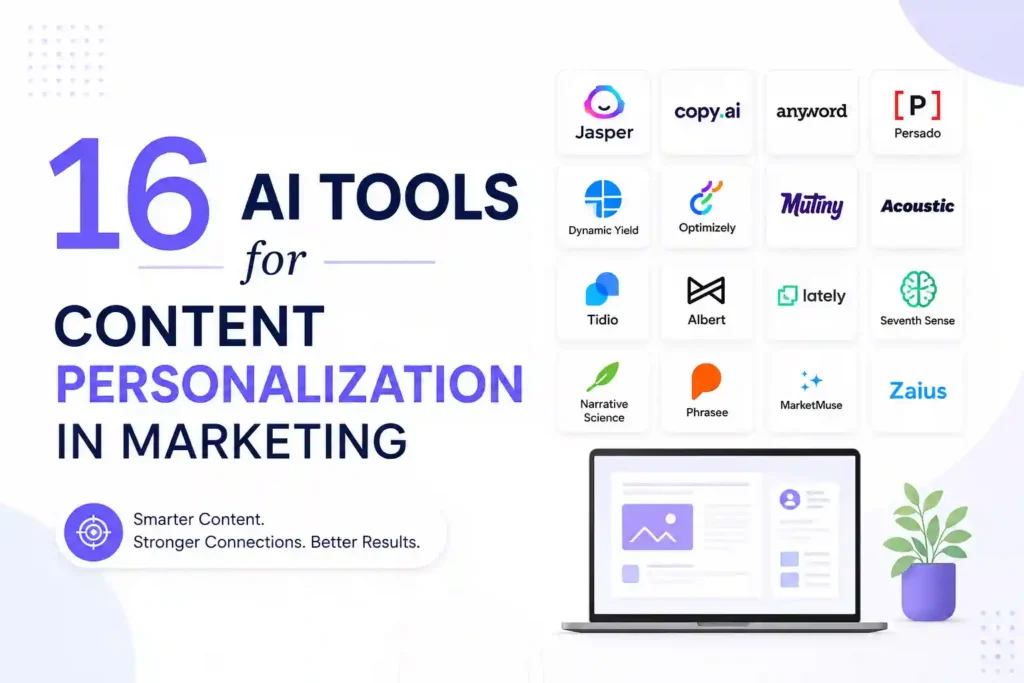
16 AI Tools That Deliver Real‑World Personalization
1. DynamicYield (by Mastercard)
DynamicYield excels at on‑site personalization. Its visual editor lets marketers create rule‑based experiences without writing code. The platform’s AI engine continuously tests headline variants and product recommendations, increasing average order value by 8‑12% for many e‑commerce sites.
2. Persado
Persado focuses on language generation. By analyzing emotional triggers across millions of campaigns, it suggests the most persuasive copy for emails, push notifications, and landing pages. Users report click‑through improvements of 15% on average.
3. Segment (Twilio)
Segment acts as a data hub, unifying customer profiles from web, mobile, and offline sources. Its Personas feature automatically creates dynamic segments that can be fed into any downstream personalization tool, ensuring consistent messaging across channels.
4. Adobe Target
Adobe Target combines AI‑powered recommendations with robust A/B testing. Marketers can set up automated personalization rules that adapt in real time based on a visitor’s browsing history, device type, and location.
5. Optimizely Web Experimentation
Beyond classic A/B testing, Optimizely uses reinforcement learning to serve the best variant to each user. The tool integrates with major CMS platforms, making it easy to personalize headlines, images, and CTAs without a developer.
6. Salesforce Interaction Studio
Interaction Studio offers a 360° view of every interaction. Its AI engine predicts the next best action—whether to show a discount banner or an educational video—based on real‑time behavior and historical purchase data.
7. OneSpot
OneSpot specializes in content recommendation for B2B sites. It pulls from your existing asset library, tags each piece with AI‑derived topics, and serves the most relevant article or case study to each visitor, driving longer session times.
8. Crayon
While primarily a competitive intelligence platform, Crayon’s AI can surface competitor‑specific messaging that resonates with your audience, allowing you to tailor your own copy to fill gaps in the market.
9. Acrolinx
Acrolinx ensures brand‑consistent language across all personalized content. Its AI checks tone, readability, and compliance, preventing the accidental drift that can happen when dozens of writers personalize at scale.
10. Personyze
Personyze offers a lightweight JavaScript snippet that delivers AI‑driven product recommendations, content blocks, and pop‑ups. The platform’s predictive models run on edge servers, keeping page load times low.
11. Emarsys (SAP)
Emarsys provides a unified customer engagement platform. Its AI‑based predictive segmentation helps you trigger personalized email flows based on churn risk, purchase propensity, and life‑stage events.
12. Phrasee
Phrasee generates subject lines and push‑notification copy that align with your brand voice while maximizing open rates. The tool continuously learns from performance data, refining its language model over time.
13. Yext Answers
Yext Answers powers site search with natural‑language understanding. When a visitor types a question, the AI returns the most relevant article or product, dramatically improving self‑service conversion.
14. PathFactory
PathFactory’s content activation engine tracks how users consume assets and then automatically serves the next piece that moves them further down the funnel. It’s especially useful for long‑form webinars and whitepapers.
15. BotStar
BotStar builds AI chatbots that can personalize conversation paths based on user intent signals. Integrations with CRM let the bot pull order history and suggest upsells in real time.
16. Qualtrics XM
Qualtrics uses AI to analyze survey responses and behavioral data, then surfaces personalization recommendations for web and email experiences. Its predictive analytics module flags high‑value prospects for sales outreach.
Choosing the Right Tool for Your Business
Not every solution fits every budget or tech stack. Follow these three questions to narrow your options:
- What channel needs the most lift? If your website conversion is lagging, prioritize on‑site tools like DynamicYield or Personyze. For email, look at Persado or Phrasee.
- How much data do you already have? Platforms such as Segment or Salesforce Interaction Studio require richer data feeds to shine.
- What resources are available? If you lack a dev team, choose visual editors (DynamicYield, Adobe Target) that let marketers launch experiments without code.
Step‑by‑Step Implementation Blueprint
Step 1: Audit Your Data Sources
Map every touchpoint—website analytics, CRM fields, email platform, and ad networks. Identify gaps (e.g., missing product IDs in Google Analytics) and set up a unified data layer using a hub like Segment.
Step 2: Define Micro‑Segments
Start with three to five high‑impact segments: new visitors, cart abandoners, repeat buyers, and high‑intent searchers. Use the AI tool’s clustering feature to refine these groups based on behavior patterns.
Step 3: Create Personalized Content Assets
Write variations for headlines, CTAs, and product recommendations that speak directly to each segment’s pain point. Keep the copy concise—no more than 12 words for a headline.
Step 4: Set Up Real‑Time Rules
In the tool’s visual rule builder, map each segment to the appropriate asset. For example, show a 10% off banner to cart abandoners who have viewed a product for more than 30 seconds.
Step 5: Launch a Controlled Test
Run an A/B test with at least a 5% traffic split for 2‑3 weeks. Measure lift in conversion, average order value, and time on page. Use the platform’s built‑in reporting to decide whether to roll out the variation to 100% of traffic.
Step 6: Automate Optimization
Enable the AI’s continuous learning mode. The system will automatically replace under‑performing assets with new variants generated by Persado or Phrasee, keeping the experience fresh.
Common Pitfalls and Prevention Tips
Even the best AI tools can fall short if you overlook the basics. Below are five mistakes and how to avoid them:
- Over‑segmenting: Creating dozens of tiny segments dilutes data and slows learning. Stick to core personas until you have sufficient traffic.
- Neglecting data hygiene: Duplicate or outdated records cause inaccurate predictions. Schedule monthly clean‑ups in your CRM.
- Relying solely on AI copy: Human review ensures brand voice consistency and legal compliance.
- Ignoring mobile performance: Test personalized elements on low‑bandwidth connections; use tools that serve lightweight assets.
- Skipping post‑launch analysis: Set up dashboards in Google Data Studio or Power BI to monitor KPI drift.
Real Questions Marketers Ask (and Practical Answers)
How quickly can I see ROI from an AI personalization tool?
Most users report a measurable lift within 30‑45 days after the first full‑traffic rollout, provided the test is statistically sound and the data pipeline is clean.
Do I need a data scientist to operate these platforms?
No. Modern tools offer drag‑and‑drop interfaces and pre‑built models. A marketer with basic analytics knowledge can manage day‑to‑day operations, while a data specialist may be consulted for custom model tuning.
Can AI personalization comply with GDPR and CCPA?
Yes, as long as you configure consent flags in your data layer and choose vendors that provide data‑processing agreements. Most enterprise‑grade platforms include built‑in privacy controls.
Is it safe to combine multiple AI tools?
Integrations are common, but ensure they share a single customer ID to avoid segment fragmentation. Use a central hub like Segment to orchestrate data flow.
What’s the difference between a recommendation engine and a content optimizer?
A recommendation engine suggests specific assets (products, articles) based on similarity scores, while a content optimizer tweaks the surrounding copy, layout, or timing to improve engagement. Both can be used together for maximum impact.
Measuring Success: The Metrics That Matter
Focus on three core KPIs to prove the value of personalization:
- Conversion Rate Lift: Percentage increase compared to a control group.
- Revenue per Visitor (RPV): Tracks monetary impact of personalized recommendations.
- Engagement Depth: Average number of pages or minutes spent, indicating relevance.
Set up automated alerts when any KPI deviates more than 10% from its baseline, allowing you to intervene before performance drops.
Final Thoughts and Next Steps
Personalization is no longer a nice‑to‑have; it’s a competitive necessity. By selecting the right AI tool, aligning it with clean data, and following a disciplined rollout process, you can turn generic content into a tailored experience that drives real revenue. Start with a single channel, measure the lift, and then expand the AI’s reach across email, ads, and chat. The sooner you act, the faster your audience will notice the difference.
Disclaimer: Some links may be affiliate links. Availability and signup requirements may vary.