Why Choosing the Right AI Analytics Tool Matters Now
Every marketer feels the pressure of turning raw data into clear, revenue‑driving insights. When campaigns under‑perform, the clock starts ticking, budgets shrink, and senior leadership demands answers. The good news is that advanced AI tools can sift through millions of clicks, impressions, and conversions in seconds, surfacing the trends that matter most. In this guide you’ll learn which AI platforms actually cut through the noise, how to set them up for immediate impact, and practical tips to avoid common pitfalls.
How AI Transforms Marketing Data Analysis
Traditional spreadsheets force you to manually aggregate, segment, and visualize data—a process that can take hours or days. Modern AI engines automate these steps, applying machine‑learning models that detect hidden patterns, predict future performance, and recommend optimizations. The result is faster decision‑making, less reliance on guesswork, and a clearer line of sight from spend to ROI.
Key capabilities to look for
- Predictive forecasting: Estimates future trends based on historical data.
- Anomaly detection: Flags sudden spikes or drops that need immediate attention.
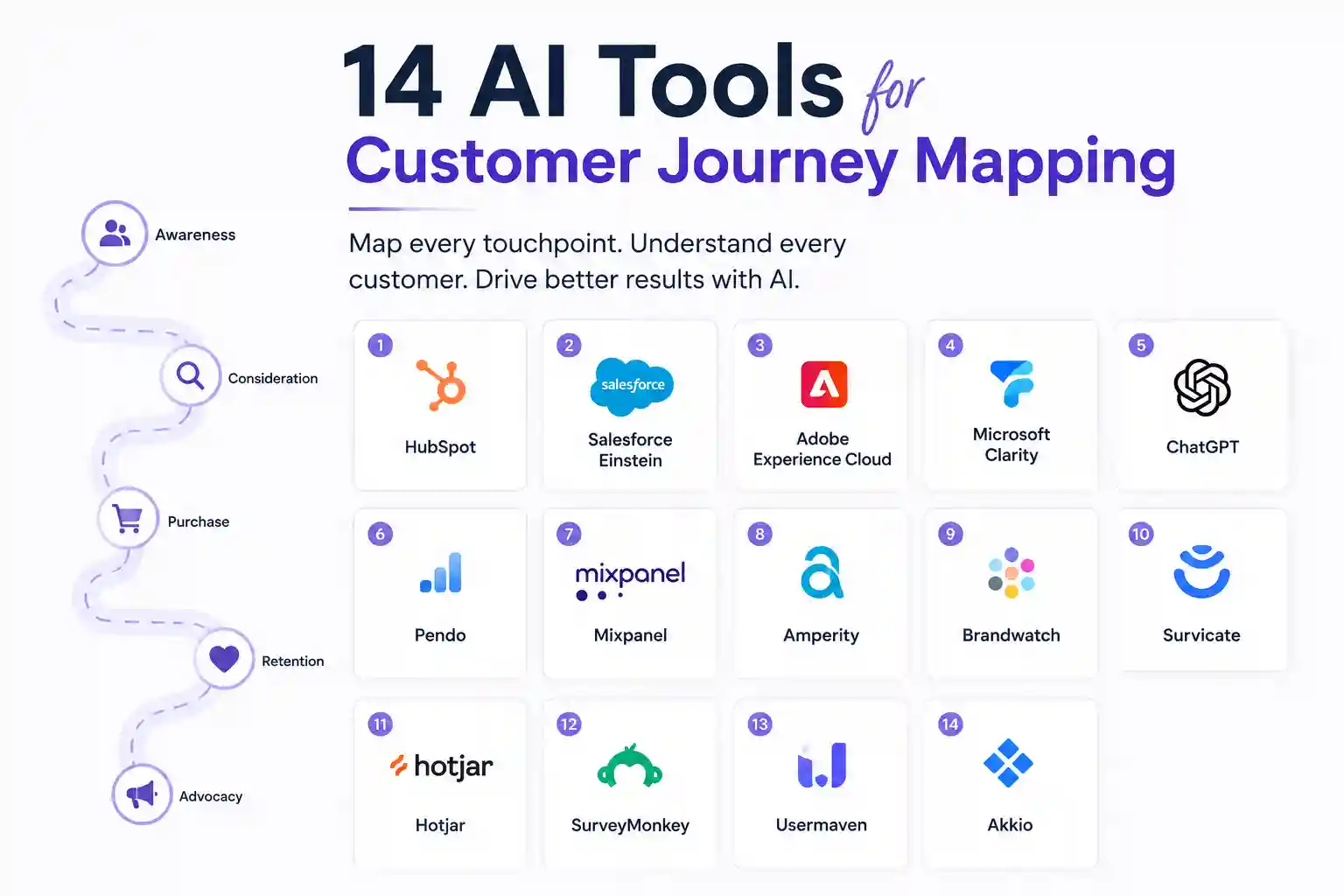
- Customer journey mapping: Visualizes multi‑touch attribution across channels.
- Natural‑language query: Lets you ask questions like “Why did my email open rate fall last week?” and get instant answers.
1. Google Analytics 4 (GA4) with AI Insights
GA4 is no longer just a reporting dashboard. Its built‑in AI layer, called “Analytics Insights,” automatically surfaces trends such as rising churn risk, unexpected traffic sources, and conversion anomalies. To get the most out of GA4:
- Enable predictive metrics (purchase probability, churn probability) in the property settings.
- Set up custom alerts that email you when AI flags a significant deviation.
- Use the Exploration tool to ask natural‑language questions and export the resulting charts.
Because GA4 ties directly to Google Ads, you can act on insights without leaving the platform, saving time and reducing data silos.
2. Adobe Analytics with Adobe Sensei
Adobe Sensei brings deep learning to Adobe Analytics, delivering automated segment discovery and attribution modeling. Practical steps for marketers:
- Activate “Automated Insights” in the workspace to receive weekly trend cards.
- Leverage the “Customer Journey Analytics” canvas to stitch together web, mobile, and CRM data.
- Run a “Contribution Analysis” to see which channels truly move the needle on revenue.
Adobe’s strength lies in enterprise‑level data governance, making it a solid choice for brands handling large, multi‑source datasets.
3. Mixpanel’s Predictive Analytics
Mixpanel excels at product‑focused marketing teams that need to understand user behavior across web and mobile apps. Its AI module predicts churn, suggests the next best action, and surfaces funnel bottlenecks without writing code.
Implementation tip: define a “key event” (e.g., subscription upgrade) and let Mixpanel’s “Predictive Revenue” model calculate the probability of each user completing that event within 30 days. Then push high‑probability users into a targeted email flow.
4. Amplitude’s Behavioral Cohort Engine
Amplitude uses machine learning to automatically group users into cohorts based on similar actions. This is especially useful when you lack a clear segmentation strategy.
How to use it:
- Enable “Behavioral Cohorts” in the settings.
- Review the auto‑generated cohorts each week and match them to existing campaigns.
- Export the cohort IDs to your ad platform for look‑alike targeting.
5. HubSpot Marketing Hub’s AI Reporting
HubSpot’s AI‑powered dashboard turns campaign data into plain‑English summaries. For small‑to‑mid‑size teams, the value is in speed—no data‑science background required.
Steps to get actionable insights:
- Connect your email, ads, and website tracking to HubSpot.
- Turn on “Smart Content Recommendations” to let the AI suggest copy tweaks based on performance.
- Schedule a weekly “Performance Pulse” email that includes AI‑generated insights and next‑step recommendations.
6. Tableau with Einstein Discovery (Salesforce)
Tableau’s visual analytics paired with Einstein Discovery brings statistical modeling to the front end. You can ask the system, “What would happen if I increased my Facebook spend by 20%?” and receive a confidence‑scored forecast.
Practical workflow:
- Publish your marketing data source to Tableau Server.
- Enable Einstein Discovery on the dataset and select the KPI you want to predict.
- Review the “What‑If” scenarios and embed the recommended actions directly into your dashboard for the team to follow.
7. Supermetrics + Google Data Studio AI Add‑Ons
Supermetrics is a connector, not an AI engine, but when paired with Data Studio’s AI add‑ons (e.g., “Data Studio AI Insights”), you get a low‑cost solution for agencies handling many client accounts.
Implementation checklist:
- Use Supermetrics to pull ad, social, and CRM data into a single Data Studio report.
- Install the “AI Insights” community visual, which automatically highlights outliers and trend lines.
- Set up email alerts for any AI‑flagged anomalies, then assign them to the appropriate account manager.
8. Crayon Competitive Intelligence Platform
While most tools focus on your own data, Crayon uses AI to monitor competitor activity—price changes, ad copy, landing page tweaks. Knowing when a rival launches a new promotion can explain sudden shifts in your own metrics.
How to integrate:
- Configure alerts for specific competitor domains or product categories.
- Map Crayon’s change events to your own funnel metrics in GA4 to see correlation.
- Use the insights to adjust bid strategies or messaging within 24‑48 hours.
9. Klue’s Market Intelligence Engine
Klue aggregates public data, social listening, and third‑party reports, then applies natural‑language processing to summarize competitor positioning. For B2B marketers, this helps refine messaging and improve win‑rate analytics.
Action steps:
- Import your win‑loss data into Klue.
- Let the AI match loss reasons with competitor activity trends.
- Generate a quarterly briefing that feeds directly into your ABM playbook.
10. Datorama (Salesforce) Marketing Intelligence
Datorama unifies data from dozens of ad networks, email platforms, and web analytics tools, then applies AI to surface “Growth Opportunities.” Its strength is in automated data modeling—no manual ETL required.
To start extracting value:
- Connect all your ad accounts via the pre‑built connectors.
- Enable the “AI‑driven Recommendations” panel.
- Prioritize the top three suggested actions each week and measure lift in a controlled test.
How to Choose the Right Tool for Your Team
Every organization has a unique data stack, budget, and skill set. Use the following decision matrix to narrow down the list:
- Data source coverage: Does the tool natively ingest your primary platforms (Google Ads, Meta, CRM)?
- Skill requirements: Can non‑technical marketers operate the AI features, or do you need a data analyst?
- Scalability: Will the platform handle a 5× increase in data volume as you grow?
- Cost vs. ROI: Estimate the time saved per week and translate that into dollar value.
Most teams start with a free tier (GA4, HubSpot) to prove the concept, then graduate to a paid solution like Adobe Sensei or Datorama once the ROI is evident.
Common Pitfalls and Prevention Tips
Even the smartest AI can mislead if you feed it bad data or ignore its limits. Below are practical safeguards:
- Validate data freshness: Schedule daily syncs and set alerts for failed imports.
- Watch for over‑fitting: If a model predicts a 99% conversion lift on a small test, treat it as a hypothesis, not a guarantee.
- Cross‑check AI suggestions with human judgment: Use the AI as a hypothesis generator, then run A/B tests before full rollout.
- Maintain data privacy compliance: Ensure any AI platform you choose is GDPR‑ and CCPA‑compliant, especially when handling customer identifiers.
Real Questions Marketers Ask (And Direct Answers)
What AI tool can automatically detect a sudden drop in Facebook ad performance?
Both GA4 Insights and Datorama’s anomaly detection will send you an instant alert when click‑through rates deviate beyond a set threshold. For a quick, no‑cost option, enable the “Custom Alerts” feature in GA4.
How do I predict next month’s email open rates without building a model?
Mixpanel’s Predictive Analytics and Adobe Sensei both offer pre‑trained models that output open‑rate probability based on historical engagement. Connect your email platform to the tool, select the “Email Open Prediction” metric, and you’ll receive a forecast within minutes.
Can AI help me attribute conversions across offline channels?
Adobe Analytics with Sensei supports offline conversion modeling by importing POS or call‑center data. The AI then distributes credit across digital touchpoints using data‑driven attribution.
Is there a free AI solution for small e‑commerce sites?
Google Analytics 4 provides predictive metrics at no extra cost, and HubSpot’s free tier includes AI‑generated performance summaries. Pair either with Supermetrics for a broader data view if needed.
How often should I retrain AI models for marketing data?
Most SaaS platforms handle model updates automatically. However, if you build custom models, schedule retraining every 30‑45 days or whenever a major campaign (e.g., holiday season) ends.
Which tool offers the most granular customer‑journey visualization?
Amplitude’s Behavioral Cohort Engine and Adobe’s Customer Journey Analytics both map multi‑device paths in detail. Amplitude is easier for product‑focused teams, while Adobe excels for cross‑channel enterprises.
Putting It All Together: A 30‑Day Action Plan
To avoid analysis paralysis, follow this step‑by‑step rollout:
- Week 1 – Audit data sources: List every platform that feeds marketing data. Verify UTM consistency and conversion tagging.
- Week 2 – Choose a pilot tool: Pick the solution that covers most of your sources and offers a free trial (e.g., GA4 Insights).
- Week 3 – Set up AI alerts: Configure anomaly detection and predictive metrics. Test alerts with historical data to ensure relevance.
- Week 4 – Run the first optimization: Act on the top AI‑recommended change (budget shift, creative tweak). Measure impact for at least 7 days, then document the results.
Repeat the cycle, adding a new tool each quarter until you have a best‑in‑class stack that covers acquisition, activation, and retention.
Author Bio
Jordan Patel is a senior marketing analyst with 12 years of experience driving data‑centric growth for SaaS and e‑commerce brands. He has led cross‑functional teams in implementing AI‑powered analytics platforms, and his work has been featured in MarketingProfs and the Harvard Business Review. Jordan enjoys translating complex machine‑learning concepts into practical steps that marketers can execute today.
Availability and signup requirements may vary.